



Game info
Computer simulation, Minigames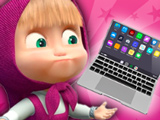
A pretend laptop interface containing applications, picture browsing, character-call screens and small activities.
What this browser listing offers
A pretend laptop interface containing applications, picture browsing, character-call screens and small activities.
This website concerns the separately hosted browser title linked by 8Games. Category membership records where it was selected; it does not establish a licensed production, a shared account or equivalence with another Masha game.
Controls and a useful first target
Click the laptop's application icons and follow the separate on-screen instructions for each activity or simulated call.
Explore one application and find the route back to the laptop's main screen. Make the first interaction deliberately and look for a changed picture, counter, position or prompt before continuing. If nothing appears to happen, check whether a transition is still running or whether the visible instructions require a drag rather than a click.
Practical play advice
Treat each icon as a separate activity rather than assuming all windows use the same controls. Start with an obvious picture or game application and locate its back or close control before opening another. The laptop and correspondence are fictional game content, not access to someone else's actual device. Keep any optional text entry impersonal and avoid treating pretend calls as contact with real people.
Start with the main screen and learn its navigation before exploring every option. A back arrow, home icon or close button can be more useful than an unfamiliar shortcut when moving between activities. Read labels before entering text and use an invented, non-personal example if the interface asks for a message. A pretend call, chat window or computer desktop belongs to the game's presentation; it does not by itself show that a real conversation or live connection is taking place. Keep that distinction clear when explaining the experience to another player.
Edition and session notes
Use the exact published player address for this edition, including any query that selects its game file. Browser storage, save controls and a native app account are separate things; no connection between them has been established here. This collection was assembled from source pages and thumbnails without a gameplay verification sweep. Responsive controls, audio, mobile behaviour and dependable progress saving are therefore not claimed as tested.
Frequently asked questions
What activity does this listing describe?
A pretend laptop interface containing applications, picture browsing, character-call screens and small activities.
How do the source-described controls work?
Click the laptop's application icons and follow the separate on-screen instructions for each activity or simulated call.
What is a useful first objective?
Explore one application and find the route back to the laptop's main screen. This is editorial guidance from the described mechanics, not a claimed tested walkthrough.
Does category membership prove this is an official licensed Masha game?
No. The record preserves the source category, title and published iframe. The developer, franchise permission and equivalence with another app or game have not been independently established.
Were gameplay, device support or progress saving tested?
No gameplay verification sweep was performed for this collection. The iframe address was extracted from its source page and the thumbnail was downloaded. Responsive controls, loading, sound and persistent saves are not claimed as verified.
Good game? Tell us.0
Share a tip, celebrate a high score, or tell us what you think. Keep it friendly.